v1.8.0 — Social preview cards for every link
Released 2026-07-17 · commit pending merge
Highlights
- Automatic preview cards — paste a
dropfast.dev/s/<slug>/link into Slack, X, LinkedIn, or iMessage and it unfurls with a branded 1200×630 card. No setup. - Your image, three ways — replace the auto card with an
httpsURL, an uploaded image, or anog_image.*file at your zip root. - Private stays private — a gated site's card returns
404to anyone who can't already view the site, so nothing leaks to a crawler.
What's new
Social preview cards
Every hosted site now gets an auto-generated 1200×630 branded card — the
site's title, a short excerpt, and its URL, in the DropFast brand style. The
card metadata (og:* + twitter:card) is injected into the served page for
you, so a link renders a real preview when it's shared instead of a bare URL.
You never edit HTML.
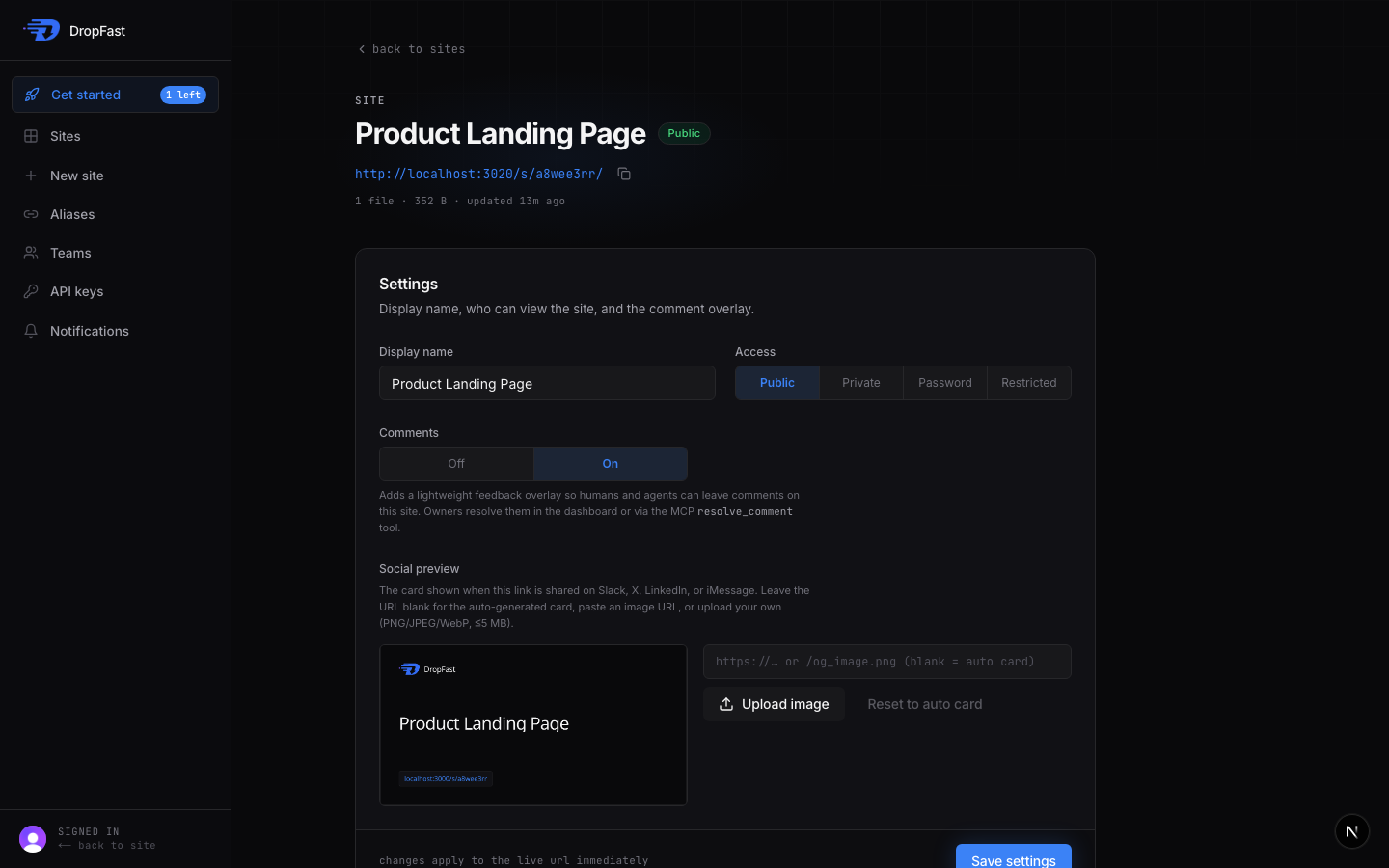
Prefer your own artwork? Replace the image three ways: paste an https image
URL, upload a file directly (PNG/JPEG/WebP, ≤5 MB, validated by content — not
just its extension), or drop an og_image.* file at the root of your zip and
DropFast picks it up automatically. Leave it blank to fall back to the auto
card at any time.
Access is respected end to end: a private, password, or restricted site's
card returns a 404 to anyone who can't already view the site — it's a 404,
not a 403, so a card request can't even confirm that a private site exists.
The card setting is available everywhere you publish: a --og-image flag on
the dropfast CLI, an ogImageUrl option on the MCP publish_* and
update_site_settings tools, and a live Social preview block in the
dashboard. See the Social sharing guide for the full
reference.
Edit this page on GitHub