v1.9.0 — Share links for private sites & a search-first dashboard
Released 2026-10-22 · commit pending merge
Highlights
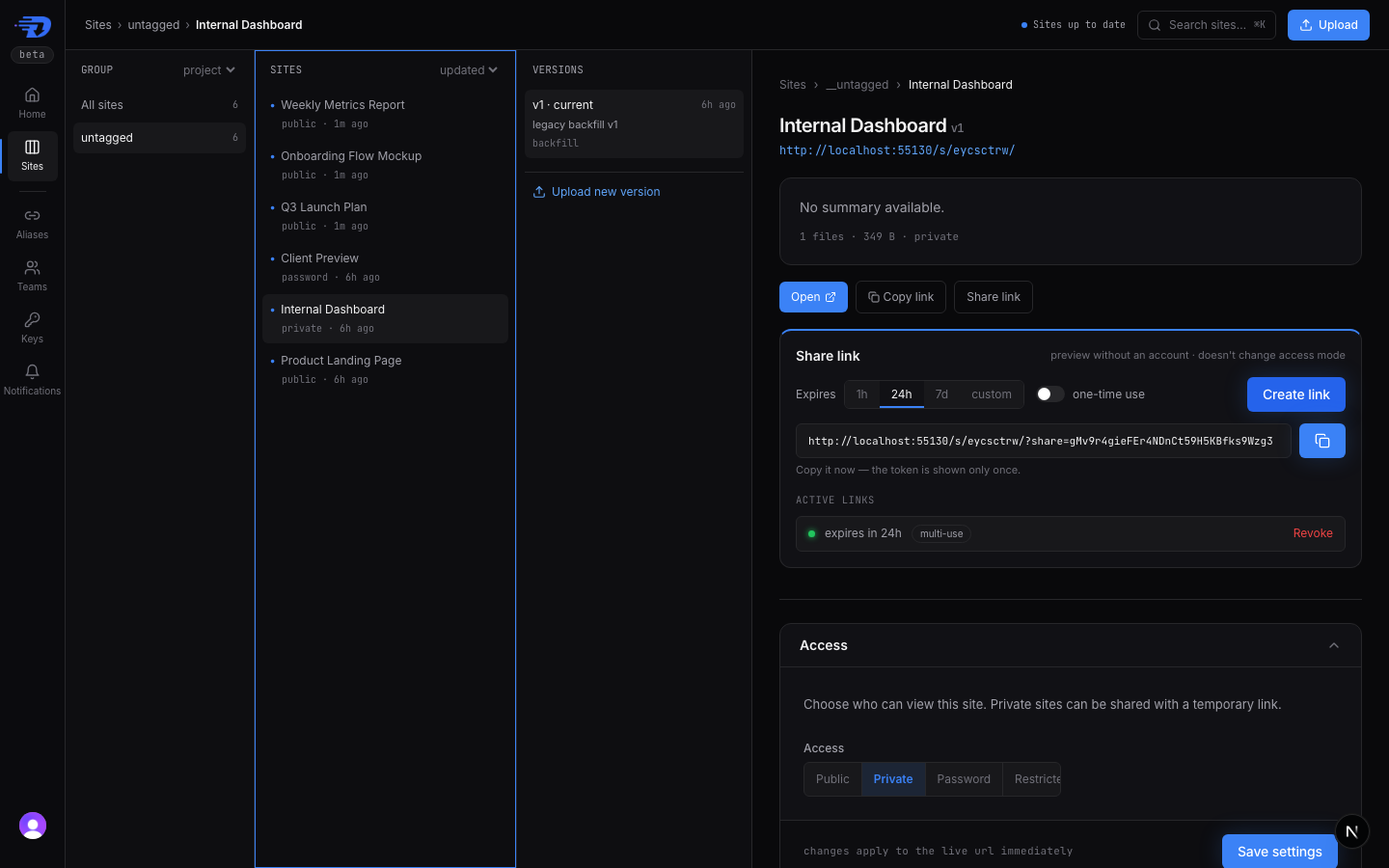
- Temporary share links — hand anyone a
?share=<token>URL that previews a private site with no account, while the site stays private. Links expire on their own (24h default, 30-day max) and can be one-time use. - Search-first dashboard —
/dashboardopens on a search box,/dashboard/sitesbrowses your sites in columns, and⌘Kfinds any site from anywhere in the dashboard. - Claude custom connector — add the hosted MCP server to claude.ai or Claude Desktop as a custom connector; the endpoint now speaks the MCP auth spec (
401+WWW-Authenticate) and CORS.
What's new
Temporary share links
When you publish something private and want one reviewer to see it, you had
two options: flip the whole site public, or add a restricted grant and make
the reviewer sign in. A share link is the in-between — an unguessable URL that
grants a read-only preview with no account and no change to the site's
access mode:
https://dropfast.dev/s/<slug>/?share=<token>Two independent limits apply, and whichever triggers first wins:
- Time — every link expires.
1h,24h(the default),7d, or any duration up to 30 days. - One-time use — the link consumes itself on first view. A confirmation page sits in front of it, so a chat app's link-preview bot can't use it up.
Mint one from the Share link panel on any non-public site in the dashboard, or from the terminal:
dropfast share-link create my-slug --expires 7d --one-timeThe full URL is shown once at mint — list endpoints never return the token
again. Revoke a link at any time and the next visitor is turned away. A public
site is rejected with INVALID_ACCESS_MODE, because anyone with the URL can
already read it.
Agents get the same controls: POST/GET/DELETE /api/v1/sites/{slug}/share-links
over REST and the create_share_link / list_share_links /
revoke_share_link MCP tools. The dropfast-publish skill (v1.5.0) now offers a
share link when you ask to show a private site to someone. Full reference in the
Share links guide.
Search-first dashboard
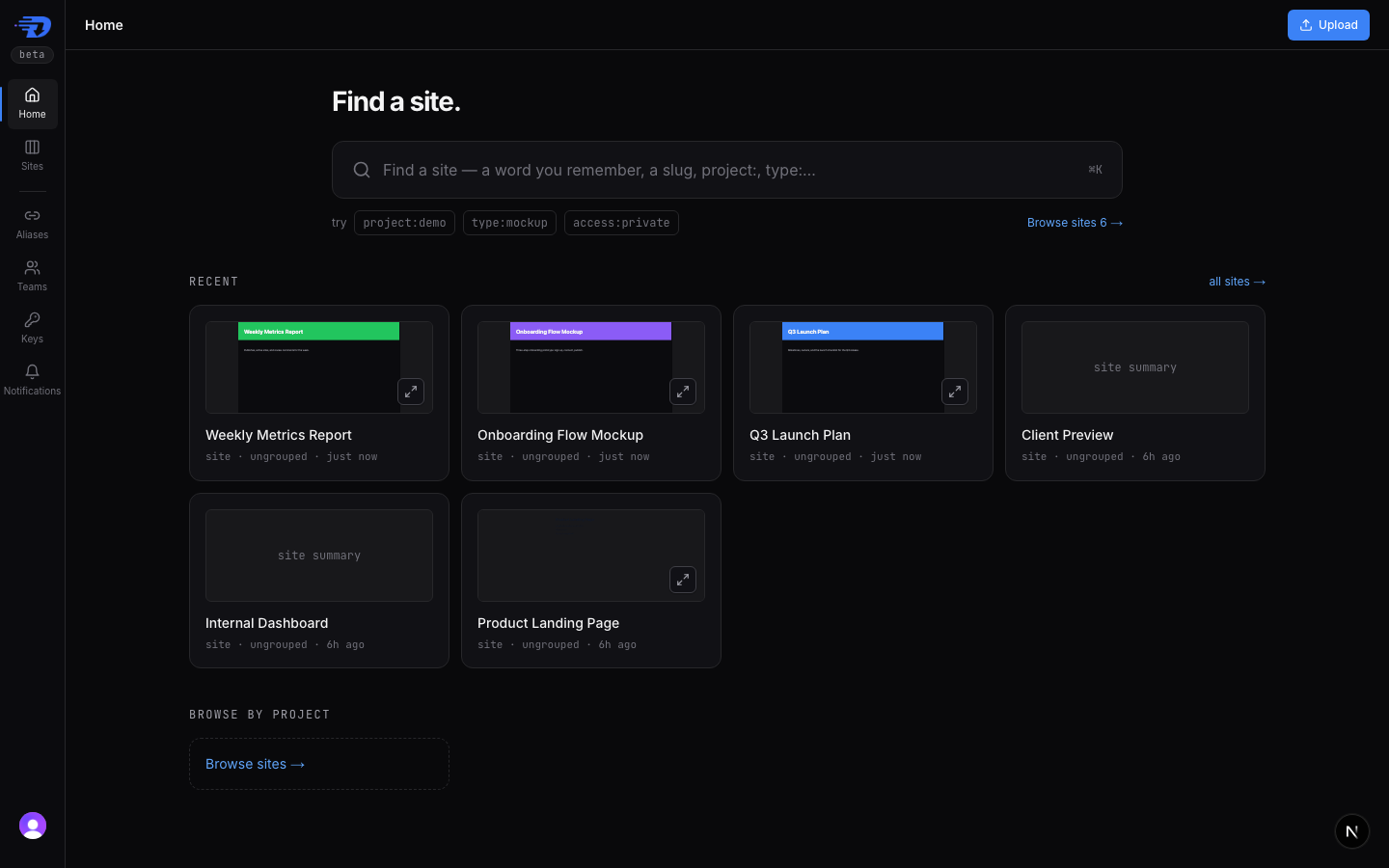
The dashboard now starts from the question you usually have: where is that site?
- Home (
/dashboard) is a search box. It matches names, titles, excerpts, and slugs with typo tolerance, and accepts filters likeproject:demo,type:mockup, andaccess:private. Your recent sites sit underneath with live previews. - Sites (
/dashboard/sites) is a Columns browser: group (by project) → sites → versions → detail. Every selection is in the URL, so a link to a specific site or version opens straight to it. ⌘K(orCtrl+K, or/) opens a site command palette from any dashboard page.
Public-site previews render the page at a 1366×768 laptop viewport and scale it
down to the card; the expand control opens a larger read-only view without
leaving the dashboard. Some sites can't be fully previewed this way — runtime
fetch() calls and unbundled JavaScript modules still need the real URL.
Non-public sites show a summary instead of a preview.
Connect DropFast to Claude as a custom connector
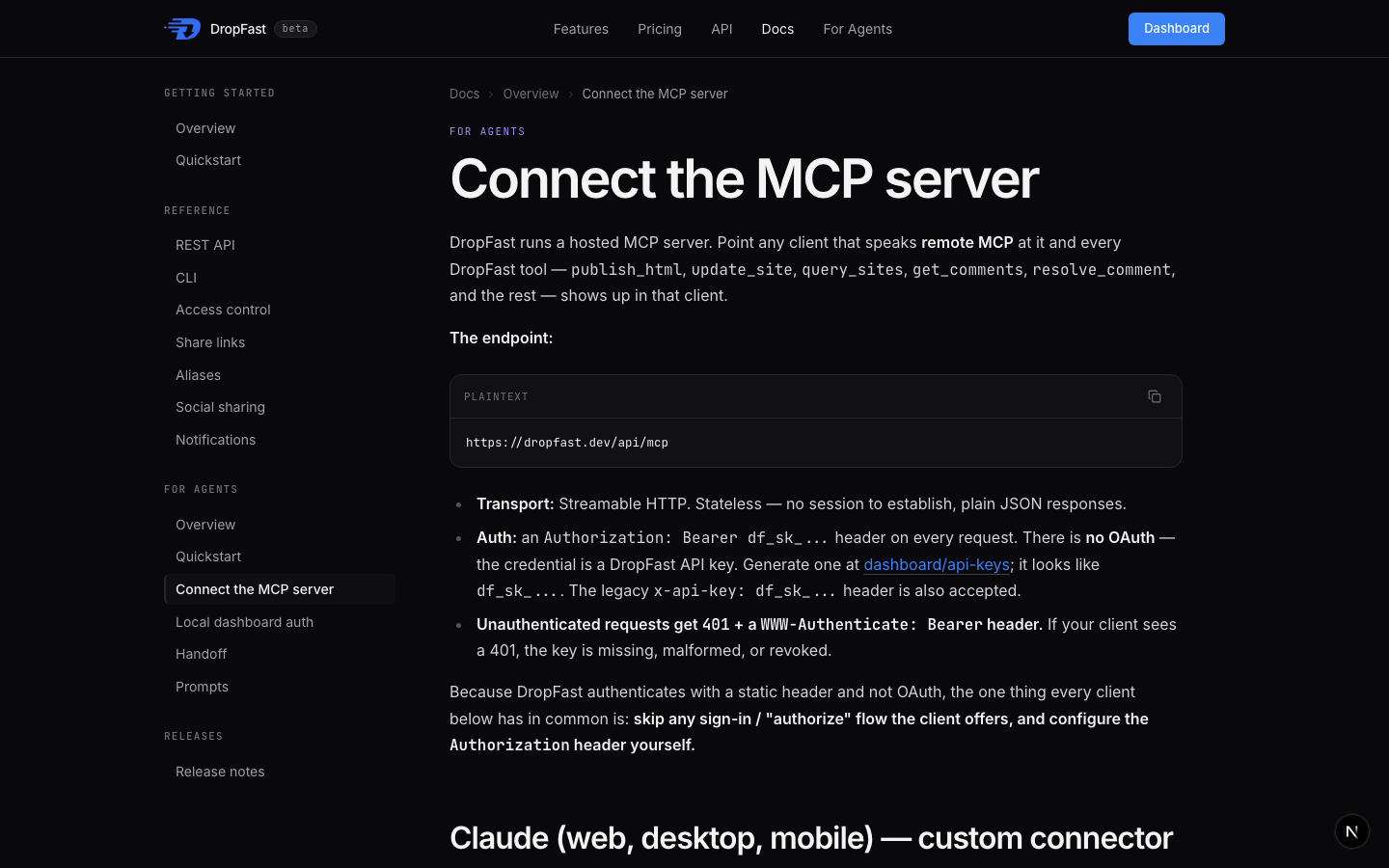
The hosted MCP server at https://dropfast.dev/api/mcp now works as a custom
connector in claude.ai (web, desktop, and mobile). Previously, a request
without credentials got an HTTP 200 with a JSON-RPC error, so the connector
had no signal that it needed a key and failed with an opaque error.
The endpoint now follows the MCP authorization spec: a missing key returns
401 with a WWW-Authenticate: Bearer challenge, a rejected key adds
error="invalid_token", and every response carries the CORS headers that
browser-based clients need. Authentication is still a DropFast API key in an
Authorization: Bearer df_sk_... header — there is no OAuth flow, so skip any
"sign in" step a client offers and set the header yourself.
The new Connect the MCP server guide has setup steps for Claude, Claude Code, ChatGPT developer mode, Cursor, VS Code, and Windsurf.
Fixes
- A site URL without its trailing slash (
/s/<slug>) now redirects (307) to/s/<slug>/, so relative stylesheets, images, and sub-page links load instead of returning404. The query string, including a?v=Nversion pin, is kept.
Edit this page on GitHub